 Nox-Lumen Mfg
Knowledge base
Knowledge bases are combo agent’s external memory. Load standards, prior projects, and industry references once; the Agent retrieves relevant chunks when answering or generating.
1. Entry point
Use the top Knowledge base tab.
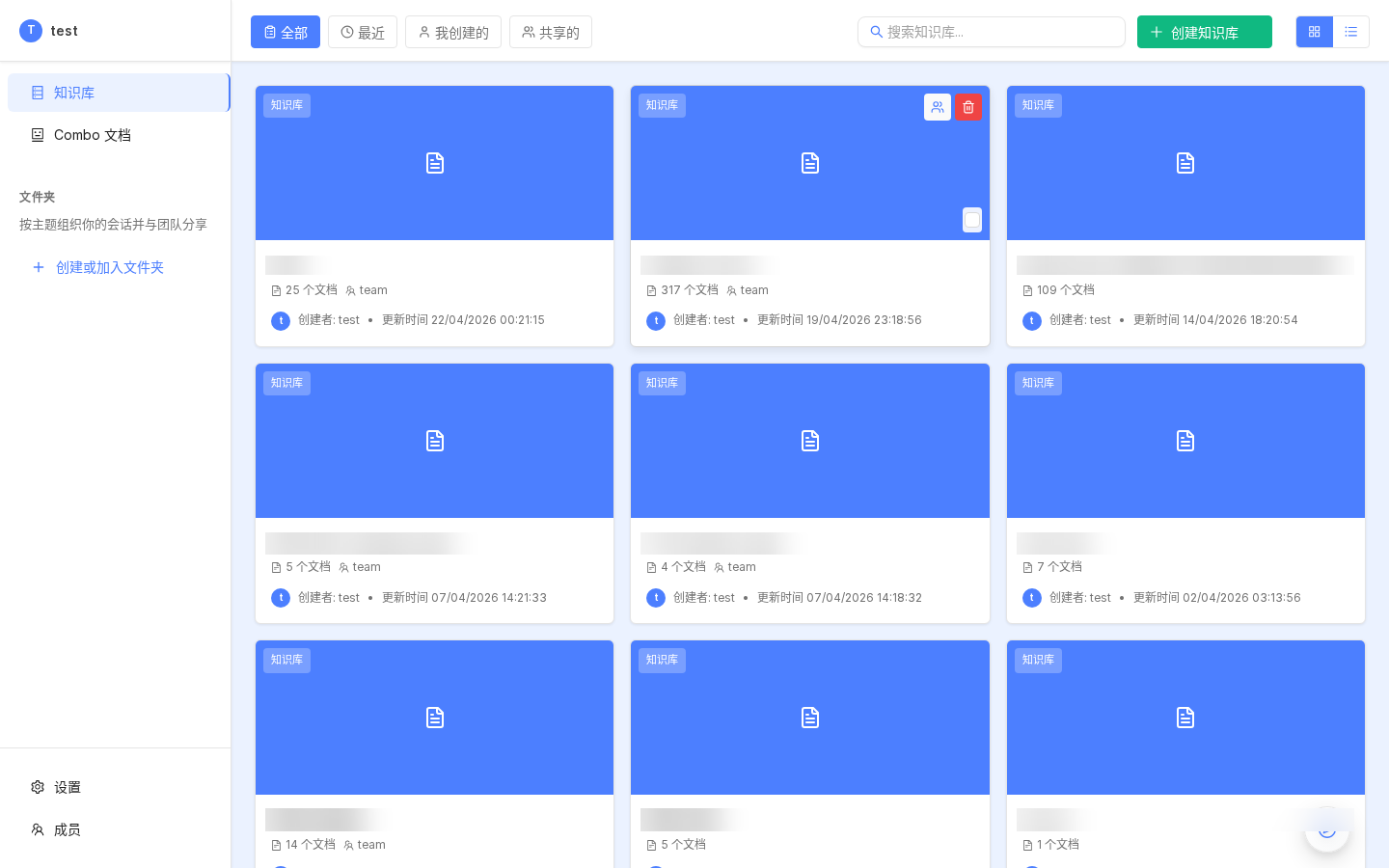
Three areas:
- Top search — by name
- My knowledge bases — created by you
- Team knowledge bases — shared inside the tenant
After switching tenants, the list reflects that tenant’s visibility.
2. Creating a knowledge base
Click Create knowledge base:
| Field | Meaning | Tip |
|---|---|---|
| Name | Display name | Use business meaning, e.g. “ISO 26262 pack”, “Alice patent materials” |
| Avatar | Optional icon | Visual only |
| Description | Short blurb | What documents and audience |
| Permission | Private / tenant-shared | Private = only you; shared = tenant can use |
| Language | Chinese / English / mixed | Tokenization / embedding tuning |
Success opens the detail page with tabs: Dataset / Retrieval test / Chunking / Settings.
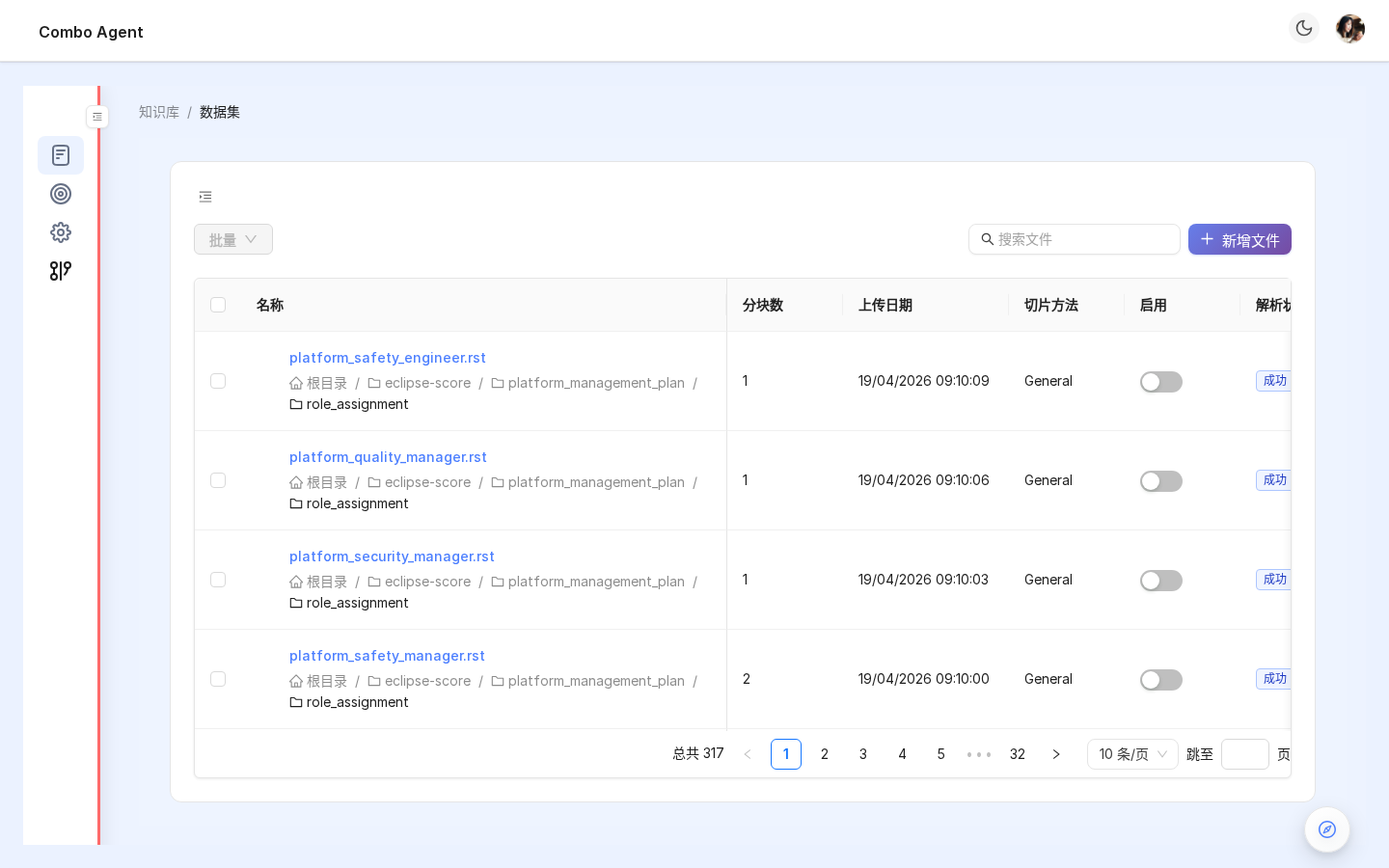
3. Uploading documents (dataset)
3.1 Supported formats
3.2 Upload methods
- Drag-drop files or folders
- Click upload
- Batch: up to 100 files per batch
- Folder recursion keeps paths as tags
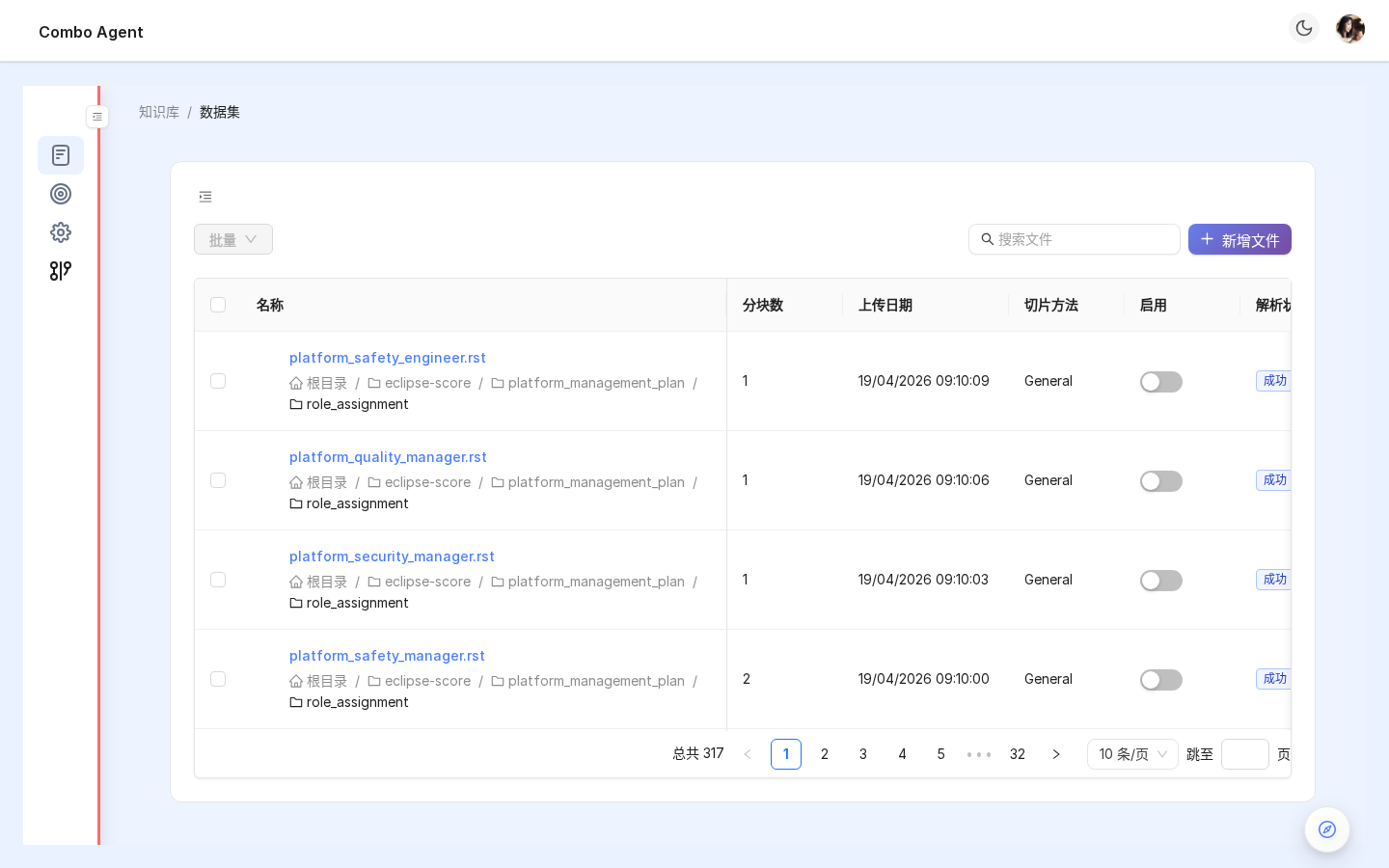
3.3 Parse states
| State | Meaning | Typical time |
|---|---|---|
| Pending | Uploaded, not queued | — |
| Parsing | Chunking + embedding | ~1–30s per file |
| Parsed | Retrievable | — |
| Failed | Corrupt / unsupported / OCR timeout | Retry or replace |
Failed docs are not retrieved. Scheduled retry exists in prod — don’t rely on it; check status after upload.
4. Chunking (parser_id) — critical
Roughly 70% of “does the KB work” is chunking strategy. Pick parser_id under Settings — 15 options:
| Parser | Label | Doc types | Core idea |
|---|---|---|---|
naive | Generic (default) | Any text | Fixed token chunks + optional delimiters |
qa | Q/A pairs | FAQ / chats | Detect Q&A pairs |
resume | Résumés | Résumé PDF/DOCX | Section-aware chunks |
manual | Manuals | User manuals | Split by h1/h2, keep heading context |
table | Tables | Spreadsheet-heavy | Row/cell granularity, headers kept |
paper | Papers | Academic PDF | Abstract / intro / method / conclusion |
book | Books | Long works | Chapter / section tiers |
laws | Legal | Laws / examination guidelines | Clause numbering + hierarchy |
presentation | Slides | PPT/PPTX | One slide per chunk + OCR figures |
picture | Images | Image-heavy | One image per chunk + OCR/embed |
one | Whole doc | Very short texts | Single chunk per document |
audio | Audio | Recordings | Transcribe → speaker/time chunks |
email | .eml | Thread / sender splits | |
tag | Tag dictionary | Glossaries | No chunking; referenced as tags |
knowledge_graph | KG | Any text | Entity/relation extraction + graph retrieval |
Chooser:
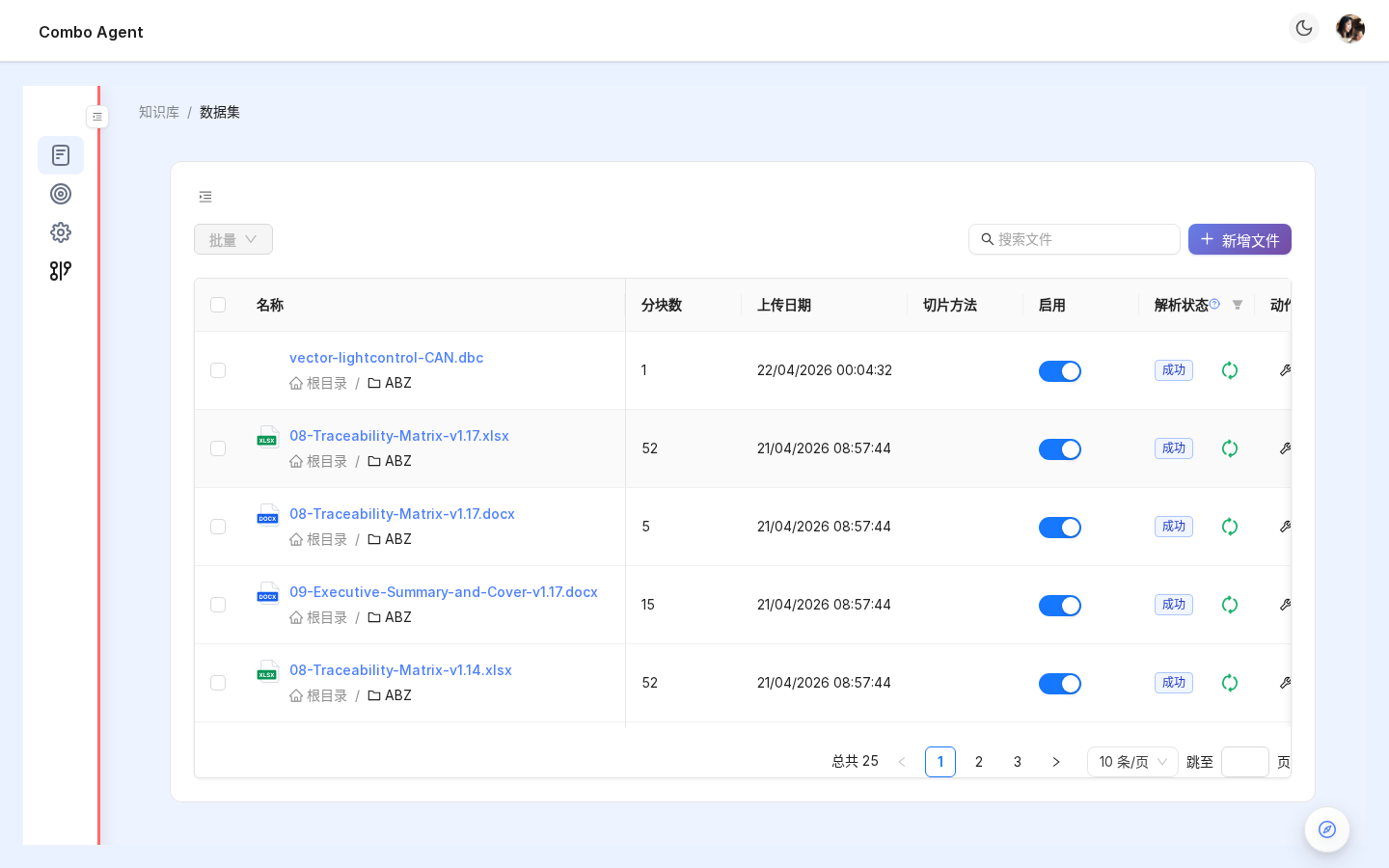
4.0.1 Browsing chunks: ABZ ASPICE example
After upload + parse, open a file under Knowledge base → Dataset to inspect chunks.
Using the ABZ KB (Eclipse S-CORE ASPICE bundle) as example.
Step 1: file list
Columns: name, folder, chunk count, date, parser, enable toggle, parse state, actions.
Step 2: open a file
- Breadcrumb
KB / Dataset / Chunks - Each chunk card; per-chunk enable toggle
- Tables stay tabular (e.g.
Subject / Program / Platform / Compliance) - Batch actions: enable / disable / delete
- Preview controls: full text / ellipsis / search / filter
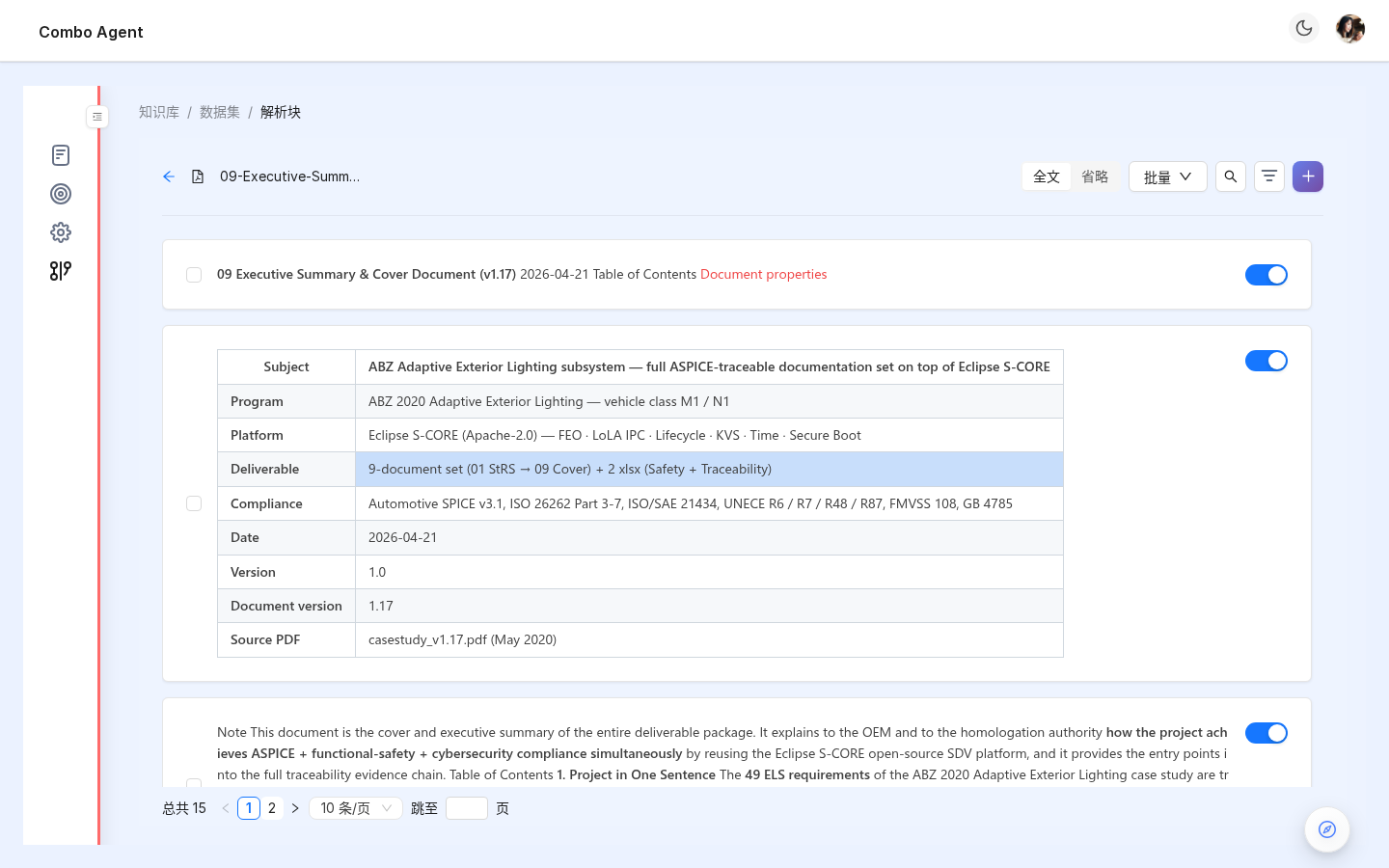
Applies to all parsers (
naive,qa,paper,picture, etc.) — granularity differs only.
4.1 Common chunk settings
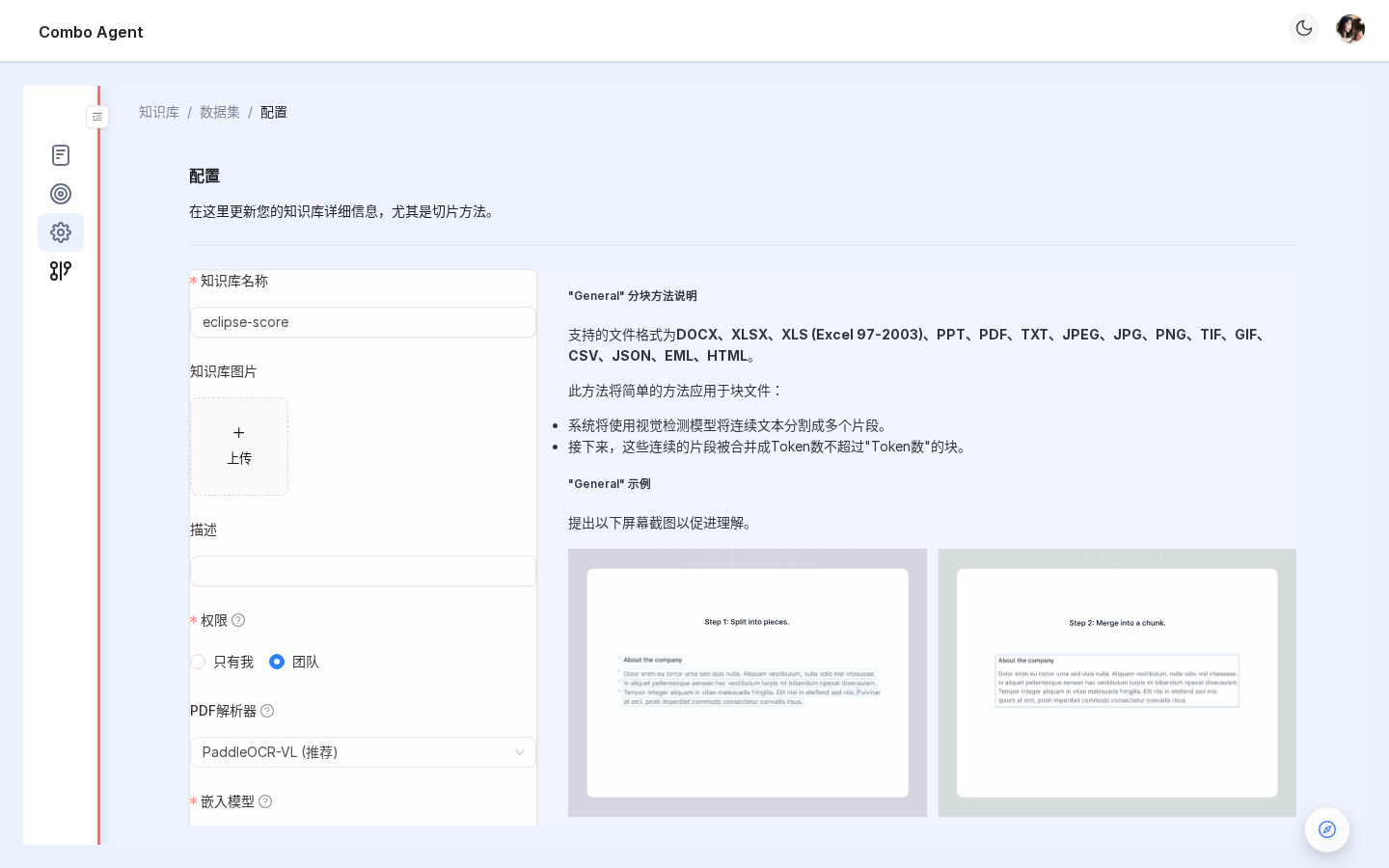
| Param | Range | Meaning |
|---|---|---|
| Chunk tokens | 64–2048 | Max tokens per chunk; smaller = sharper retrieval |
| Delimiters | regex/string | Split boundaries, newline-separated |
| Auto keywords | 0–30 | BM25 aids per chunk |
| Auto questions | 0–10 | Hypothetical questions for recall |
| Layout recognize | ON/OFF | Visual layout for titles/charts; PDF/PPT: ON |
4.2 Embedding model
Settings → Embedding model:
bge-large-zh-v1.5(Chinese default, 1024-dim)bge-m3(multilingual, 1024-dim)text-embedding-3-small / -3-large(OpenAI)- Self-hosted: GPUStack / Ollama / Xinference
After docs are parsed you cannot swap embedding models — vector spaces mismatch. Recreate KB if wrong. Decide before ingest.
5. Retrieval test
Retrieval test tab — validate slices before Agents use them.
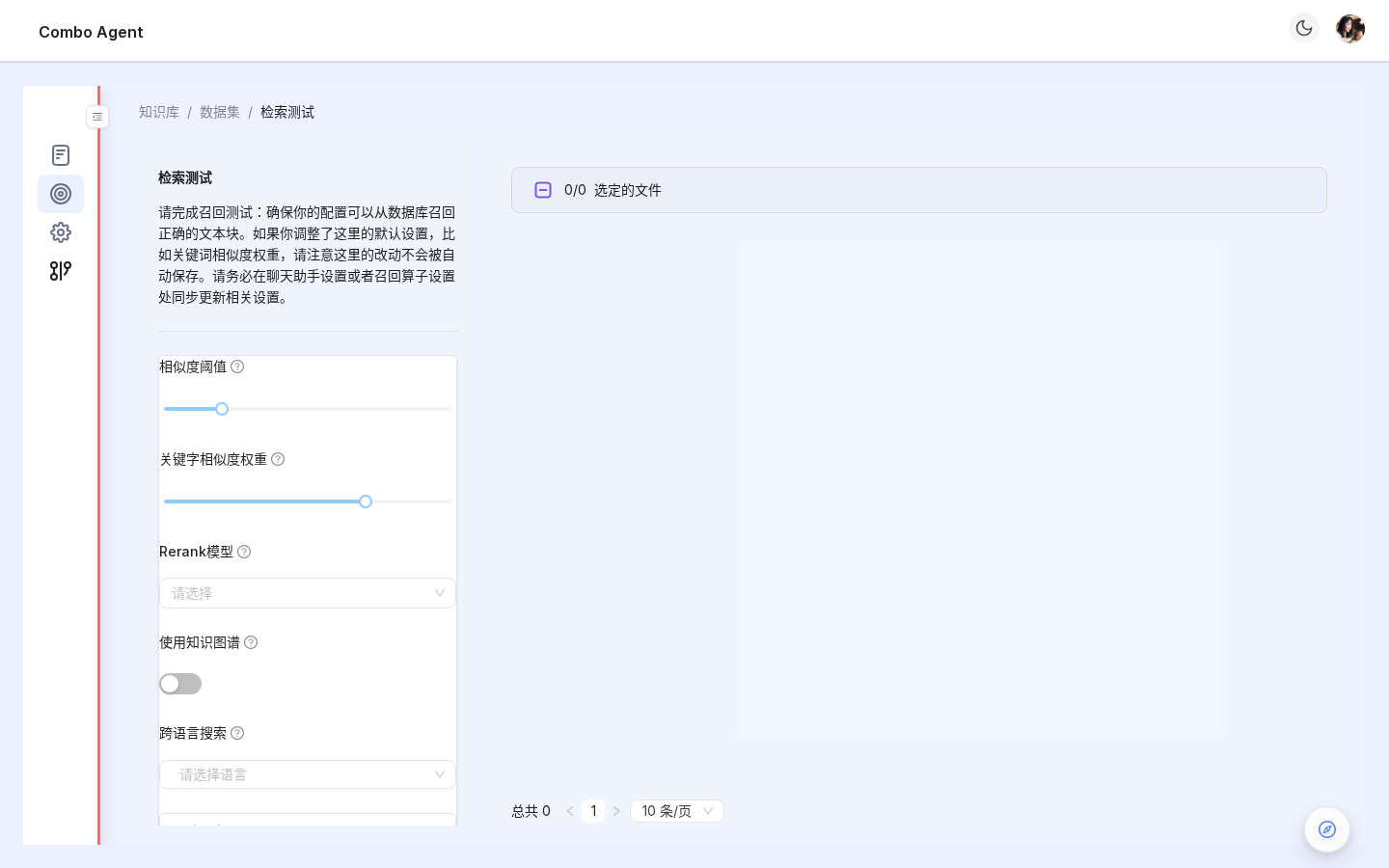
- Enter query
- Pick
Vector/Text/Hybrid - Tune
top_k(1–30) - Inspect scores + source doc + chunk IDs
Heuristics:
- Target snippet in Top-5: chunk config OK
- Not in Top-20: shrink chunk size, enable auto questions, or change embedding
- Nothing found: parsing state failed or vectors missing
6. Binding to Agents (essential)
Knowledge bases do not attach to Agents automatically — bind explicitly.
6.1 Three binding modes
| Mode | Entry | When |
|---|---|---|
| Session ephemeral | ChatInput 📎 upload | One-off summaries |
| Combo / Agent API | kb_ids: ["kb_xxx"] in Combo payload | Always-on corp standards |
| CronJob | Personal center → cron → kb_ids | Periodic scans |
Agent template UI may not expose
kb_idsyet — use API / cron. A graphical Agent editor checkbox is planned.
6.2 Ephemeral vs formal KB
| Dimension | Ephemeral | Formal KB |
|---|---|---|
| Created by | ChatInput upload | KB menu |
| Scope | This session only | Cross-session / team |
| Persistence | Lost if session deleted | Dedicated storage |
| Agent sees | Auto for session | Requires kb_ids |
7. Knowledge graph (parser_id=knowledge_graph)
Adds entity–relation graph:
- Force-directed visualization
- Graph QA (“how are A and B related?”)
- Attribute filters (“entities where type = chip”)
See Skills / ecosystem for related capabilities.
8. FAQ
Q: Uploaded but answers are weak?
A: Check: (1) parsed ✅ (2) retrieval test hits top-5 (3) Agent has kb_ids (4) Plan Mode not stuck in Fast-only skips.
Q: Duplicate uploads?
A: Dedup by hash + filename. Same name overwrites slices.
Q: Disable noisy chunks?
A: Per-chunk enable toggle under Chunks tab.
Q: KB size limits?
A: Soft guidance < ~1M chunks/KB for UI comfort; ES/Infinity can scale further.
Q: Teammate deleted a KB — can I keep using it?
A: No — hard delete. Remove stale kb_ids or replace.
9. Next steps
- Tune memory: Agent settings
- Automotive / patent workflows: respective solution guides
- Sharing: Collaboration